
Most small and mid-sized companies do not start with an HR system. They start with a spreadsheet, then a second one, then five. Each one was a sensible answer to a single problem. Together they become a fragile web that only one or two people fully understand.
This post walks through the five spreadsheets we see most often, what quietly goes wrong in each, and what changes when the same data lives in one connected suite. We will also be honest about what a suite does not fix, because software is not a substitute for decisions.
1. The employee list
What breaks. There are usually several copies: one HR keeps, one finance keeps, one in a manager’s inbox. A salary change, a new job title or a resignation gets updated in one and not the others. Sensitive columns (salary, ID numbers) sit in a file anyone can forward.
What a connected suite changes. There is one employee record, and every other part of the system reads from it. Attendance, leave, payroll, reviews and the org chart all point to the same person. Access is controlled by role and scope, so a manager sees their team and not the whole company’s salaries. See add employees and roles and access.
2. The attendance sheet
What breaks. Someone types arrival and departure times at the end of the week, or a supervisor collects paper sign-ins. Late arrivals are argued about from memory. Overtime is estimated, and the estimate becomes the payroll input.
What a connected suite changes. Employees clock in and out themselves, shifts define what “late” means, and the records are available to payroll without retyping. Overtime comes from recorded hours against the shift, not from a guess. The week itself is configurable, so a Sunday to Thursday work week is a setting, not a workaround. Our post on shifts and overtime goes deeper.
3. The leave tracker
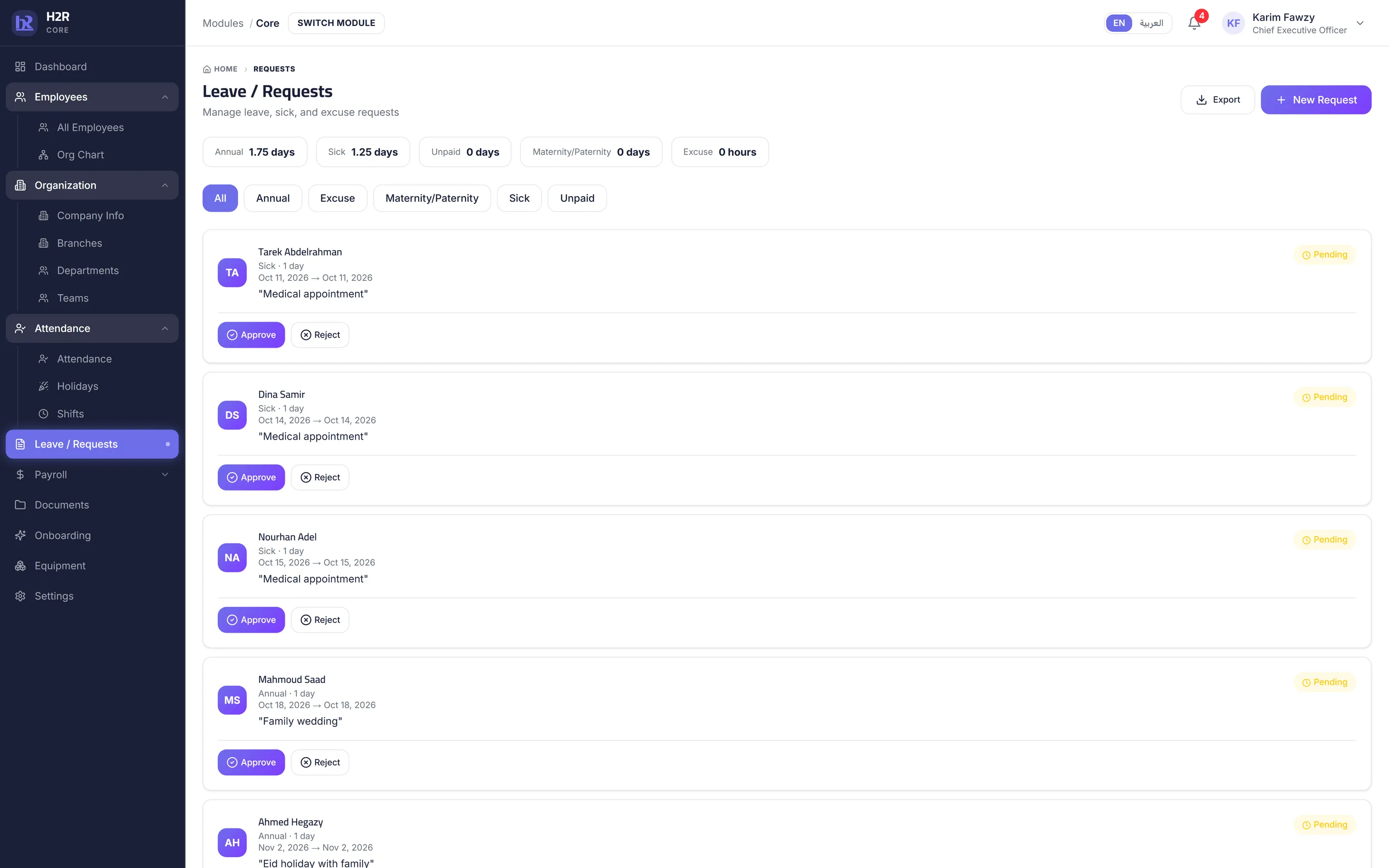
What breaks. Balances are calculated by hand and drift. Approvals happen in chat, so there is no record of who said yes. Two people in the same team get approved for the same week because nobody could see the other request.
What a connected suite changes. A request follows an approval chain, the balance is deducted when it is approved, and the team calendar shows who is out. Public holidays are defined once and excluded automatically. Read leave requests and approvals for how this works.
4. The payroll workbook
What breaks. This is the riskiest one. It has formulas that someone wrote years ago, hidden columns, and a “final_v3_REAL” file name. Attendance and leave data are copied in by hand, so any mistake upstream becomes a mistake in a payslip. One person builds it, checks it and sends it, which means nobody independently catches an error.
What a connected suite changes. Salary structures, allowances and deductions are defined once. A payroll run is created, calculated, approved and published as separate steps, and payslips are generated for each employee. By default the person who prepares a run is not the person who approves it. The basics are covered in Egypt payroll basics, and the step-by-step is in the payroll run lifecycle.
5. The hiring tracker
What breaks. Candidates live across email, WhatsApp and a sheet with a status column nobody updates. CVs are read in the order they arrive. Interview feedback is a text message. When someone is hired, their details are typed again into the employee list.
What a connected suite changes. Applications arrive in one pipeline. AI parses, ranks and matches CVs to the job so reviewers start with a sorted list, and humans make every hiring decision. Interviews and assessments are tracked against the candidate, and an accepted candidate can become an employee without retyping. See accepted candidates become employees.
What actually changes when the five become one
- One source of truth. A change to a person is made once.
- Data flows forward. Clock-ins and approved leave feed payroll; hires become employees.
- Approvals leave a trail. You can see who approved what and when.
- Access is deliberate. Each person sees what their role needs.
What a suite does not fix
It is worth being direct about this, because it decides whether a rollout goes well.
- Bad data moves faster. If your employee list has duplicates and wrong start dates, importing it just puts them in a nicer place. Clean first.
- Undefined policy stays undefined. If nobody has decided how many annual leave days a role gets, or what counts as late, the software cannot decide for you. You will be asked to enter those rules, and that is a good forcing function, but the decision is yours.
- It does not replace judgement. Ranked candidates are a starting point. A calculated payroll still needs a human who looks at it before approving.
- It does not give legal or tax advice. Rates and entitlements change. Confirm them with your accountant or legal advisor.
- People still have to use it. If managers keep approving leave over chat, the balance will be wrong again. Part of adoption is agreeing that the system is the record.
A sensible order to move in
- Clean the employee list: one row per person, correct names and start dates.
- Set up the organization and invite people (set up your organization in one afternoon).
- Switch leave and attendance on first, since they are daily-use and the easiest to verify.
- Run payroll in parallel with your old workbook for one cycle. Compare the results line by line before you retire the spreadsheet.
- Bring hiring and performance in when the core is stable.
Running payroll in parallel feels like extra work, but it is the cheapest way to build trust in the new numbers and to find the places where the old workbook was quietly wrong.
If you want to see how the pieces fit together on your own data, you can book a demo or read about H2R Core.
Questions people ask
Do we have to move everything at once?
No. H2R is a suite of modules on one identity, so you can start with the employee list and leave, then add attendance, payroll, hiring and performance when you are ready.
Can we import our existing employee spreadsheet?
Start from the add-employees help article for the options available. Clean the sheet first: one row per person, consistent names, and no duplicates.
Will a suite remove the need for an accountant?
No. H2R calculates payroll from the structures and rules you configure, but confirming current rates and legal rules is still a job for your accountant or legal advisor.