
What happens when a candidate is hired
When a candidate is accepted in H2R Recruitment and Core is on, an employee record and an onboarding task are created in Core. No re-typing needed.
Last updated:
If your organization uses both H2R Recruitment and H2R Core, a hire does not have to be typed in a second time. When a candidate’s application is marked as accepted (hired) in Recruitment, the details travel to Core automatically and HR continues from there.
What is created in Core
Core creates an employee record with:
- the candidate’s first, middle and last name, their personal email and phone number;
- the position, taken from the job title;
- the department and branch, matched by name to your active departments and branches. If a name does not match, Core uses its default placement; a hire is never rejected because of that;
- the employment type, when it matches one of Core’s types;
- a joined date: the start date if one was given, otherwise the hire date;
- status Active, an automatically assigned employee number, and the source “Recruitment” so you can always see where the person came from.
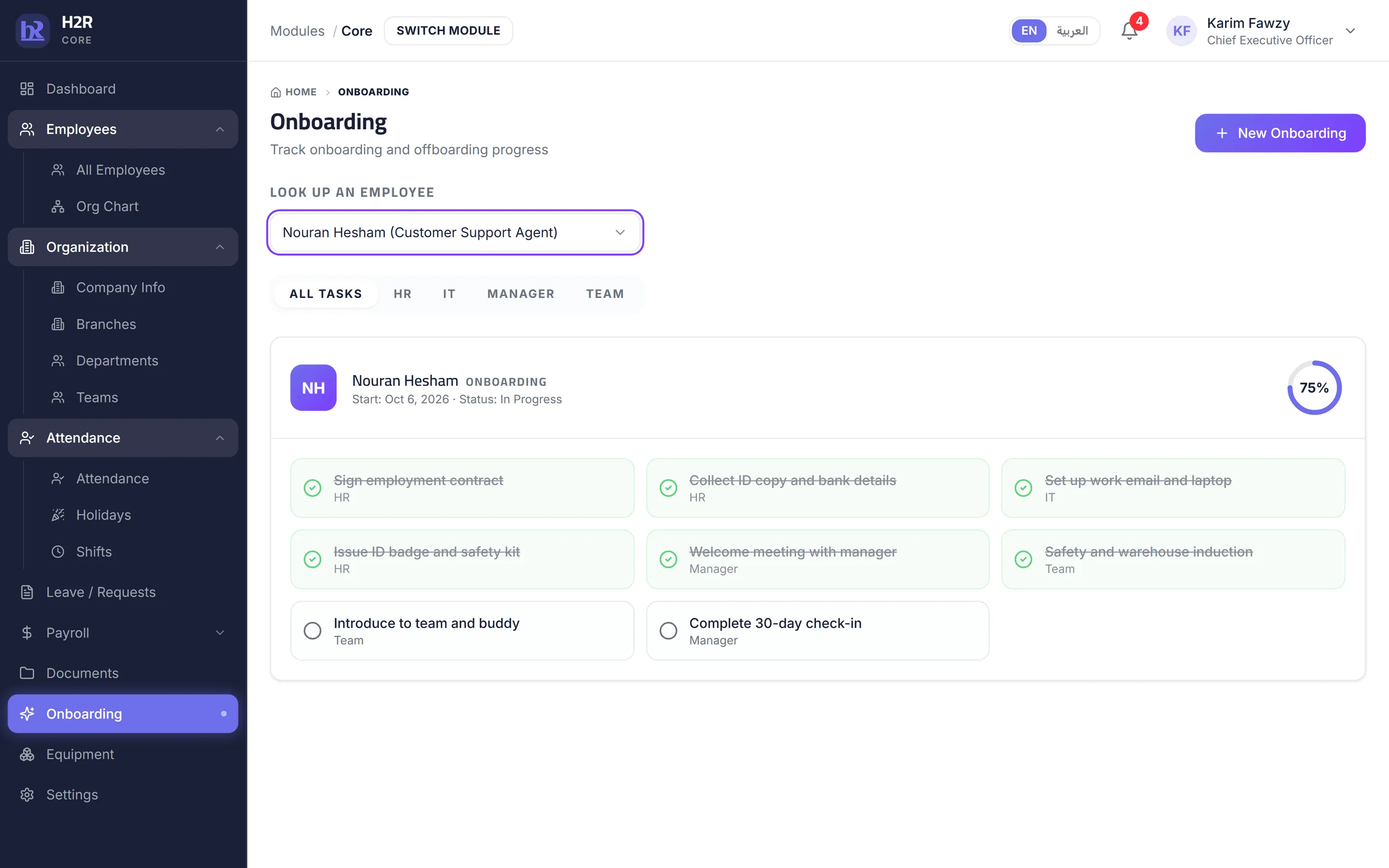
It also starts onboarding from your default onboarding template and adds one extra task for HR: Assign work email and invite to H2R. HR admins receive an in-app notification, “was hired, complete the hire”. An audit entry records that the employee came through Recruitment.
What HR does next
The candidate’s own email is kept on file as a personal email. It is not used to sign in, and no invitation is sent to it, because the person does not yet have a company address.
- In Core, open Employees. The new person is flagged “Hired, work email pending”.
- Open the employee and use Complete hire: enter the company work email and save. The invitation to H2R is sent with it, or you can use Send invite from the Access card afterwards.
- When the work email is set and the invitation is sent, the onboarding task completes itself. Continue with the rest of onboarding.
The candidate’s job-seeker account stays a separate candidate account; it is never converted into an employee login.
Good to know
- No duplicates. If the same candidate is hired again for the same organization, Core recognises them and does not create a second employee.
- Only when Core is on. The hand-over is sent only if the organization has Core enabled with an active trial or subscription. Otherwise nothing is sent and nothing fails. Add the person manually in Core instead; see add employees.
- It does not block the hire. The hand-over runs in the background and is retried if Core is briefly unavailable.
Troubleshooting
- HR sees “Hire pending: employee limit reached”. Your plan’s employee limit was reached, so the employee was not created. Upgrade the plan or free a seat, then ask Recruitment to send the hire again.
- The employee did not appear. Confirm Core is enabled for the organization and that the application really reached the accepted (hired) status. If you cannot find where to mark an application as hired, contact support.
- Department or branch is wrong. The names must match your Core departments and branches exactly (case is ignored). Fix them on the employee record.
Was this article helpful?
Tell us in one line what was missing and we will improve it.
Related articles
Still stuck?
Send us a message with what you were trying to do and the screen you are on.
Contact support