
The candidate portal: CV library, Tailor My CV and application tracker
What job seekers can do in the H2R candidate portal: manage CVs, tailor a CV to a job without invented facts, check a job's fit, and track applications.
Last updated:
Candidates who apply to your jobs get their own space in H2R Recruitment: the Candidate Portal. It is useful to know what candidates see, because it explains the emails, assessments and interview invitations they receive from you.
Find and apply for jobs
Under Explore, Find Jobs lists published vacancies and Saved Jobs holds the ones a candidate bookmarked. A job page shows About, Responsibilities, Qualifications and Benefits, with Apply Now. My Home gives an overview: applications, interviews, saved jobs, profile strength and top picks.
My CVs
Under My Tools, My CVs is the candidate’s library. They can Upload New CV, give each file a name with Rename, mark one as Default with Set Default, and delete the ones they no longer use. The library keeps several versions, for example one per type of role.
Check a Job
Check a Job works for any job, even one outside H2R. The candidate pastes a job description (for example from a job board), chooses a CV and clicks Analyze. The result shows how well that CV matches the description. Past checks are listed below the form.
Tailor My CV
Tailor My CV rewrites one of the candidate’s CVs for a target job. They choose a CV, then either pick a job from their applications or paste a job description, and click Tailor My CV.
The result shows Match Before and Match After Tailoring, a tailoring strategy, a tailored summary and tailored work experience side by side with the original, and a Skills Alignment view with directly matching and transferable skills. It also lists Genuine Skill Gaps, Upskilling Recommendations, recommended keywords and a Grounding Audit Verdict.
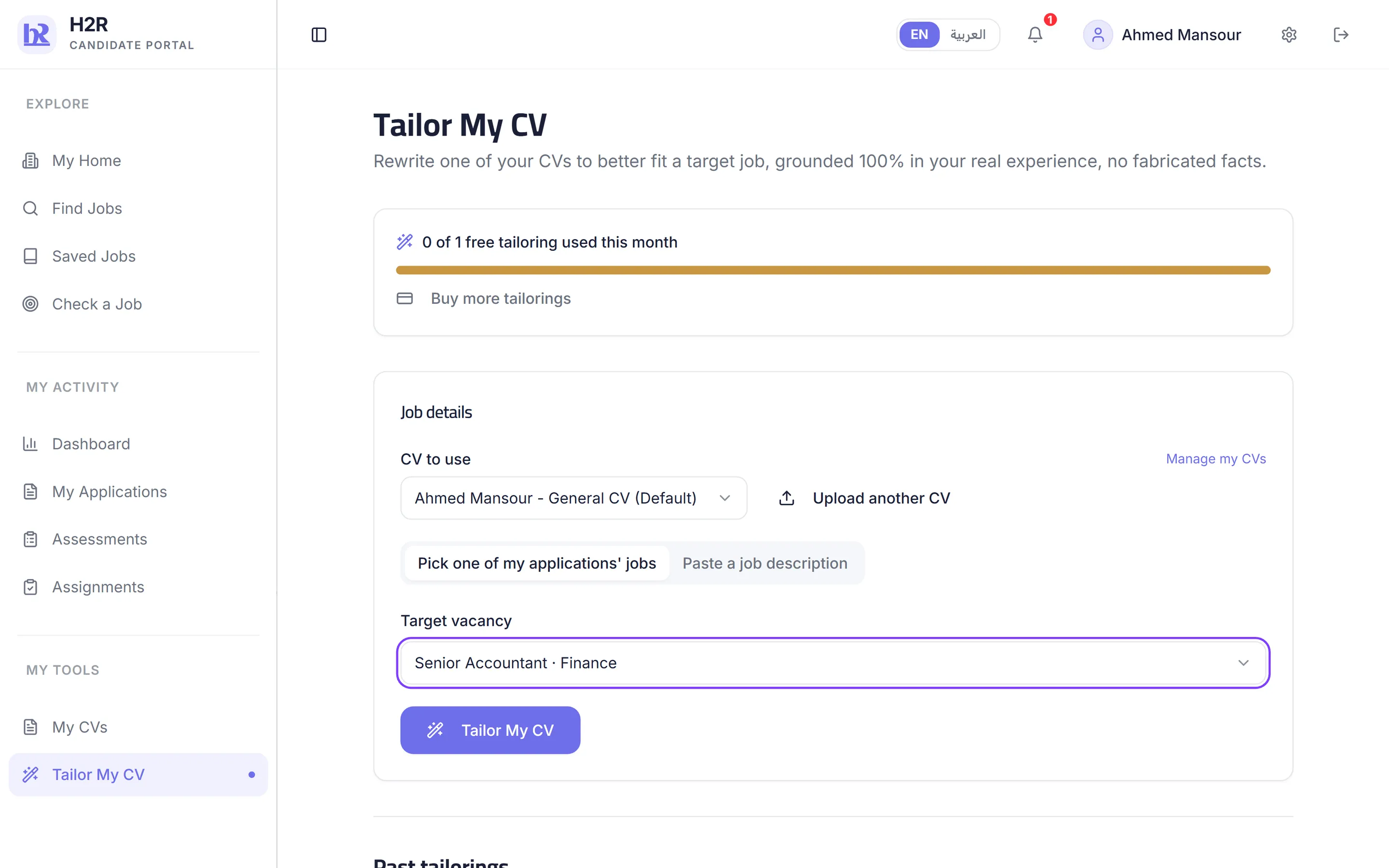
The tailoring is built only from what is already in the CV. The tool is designed not to invent employers, tools or achievements, and it names real gaps instead of hiding them. Candidates still need to read the result and confirm every line is true before sending it.
Each candidate has a limited number of free Check a Job and Tailor My CV uses per month, shown on the page, and can buy extra ones.
My Applications
My Applications is the tracker. It shows totals for Applied, In Review, Interviews, Offers and Rejected, and filters by status, company or the Active and Completed tabs. Each application shows its Current Stage, the Next Step (for example “Awaiting CV review” or “Interview scheduled”) and a progress bar. From here candidates can Join Interview, open My Assessments or view their CV Analysis.
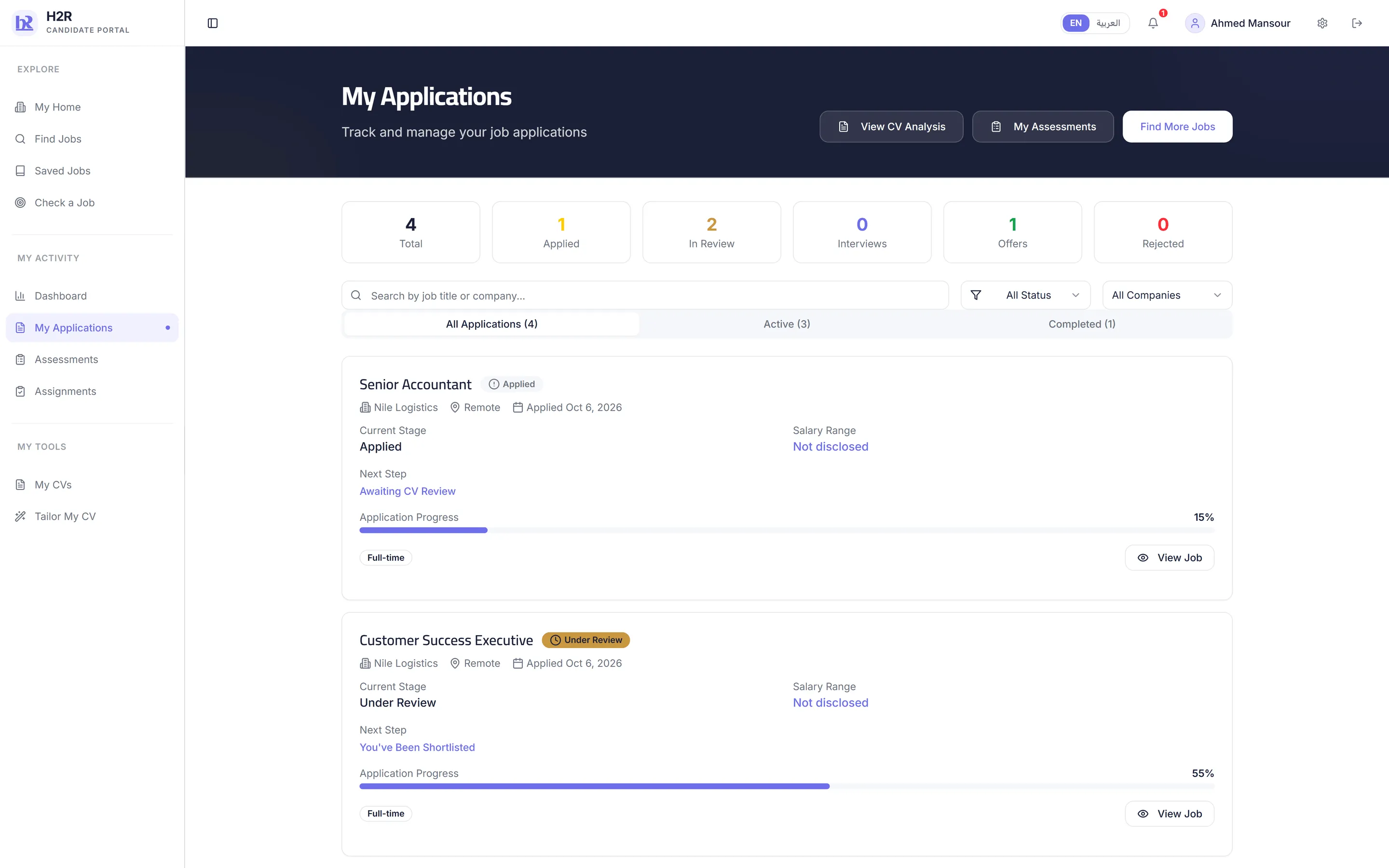
Stages move as your team moves the application, so keep them current. Optional emails to candidates at each stage are configured in System Settings.
Candidate tasks
Candidates also see Assessments and Assignments (tasks you assigned) in their menu, and interview invitations from My Applications. See assessments and interviews.
Troubleshooting
- A candidate cannot see a job. It may be closed, archived or not yet published.
- No CV to choose. They must upload one under My CVs first.
- Free uses are exhausted. The page says so; the allowance renews monthly.
Was this article helpful?
Tell us in one line what was missing and we will improve it.
Related articles
Still stuck?
Send us a message with what you were trying to do and the screen you are on.
Contact support