H2R

Human Resource Rise up

Hire, manage and grow your people in one suite

H2R brings recruitment, performance, HR operations and payroll together behind a single login, in Arabic and English.

Free trial. No setup call needed.

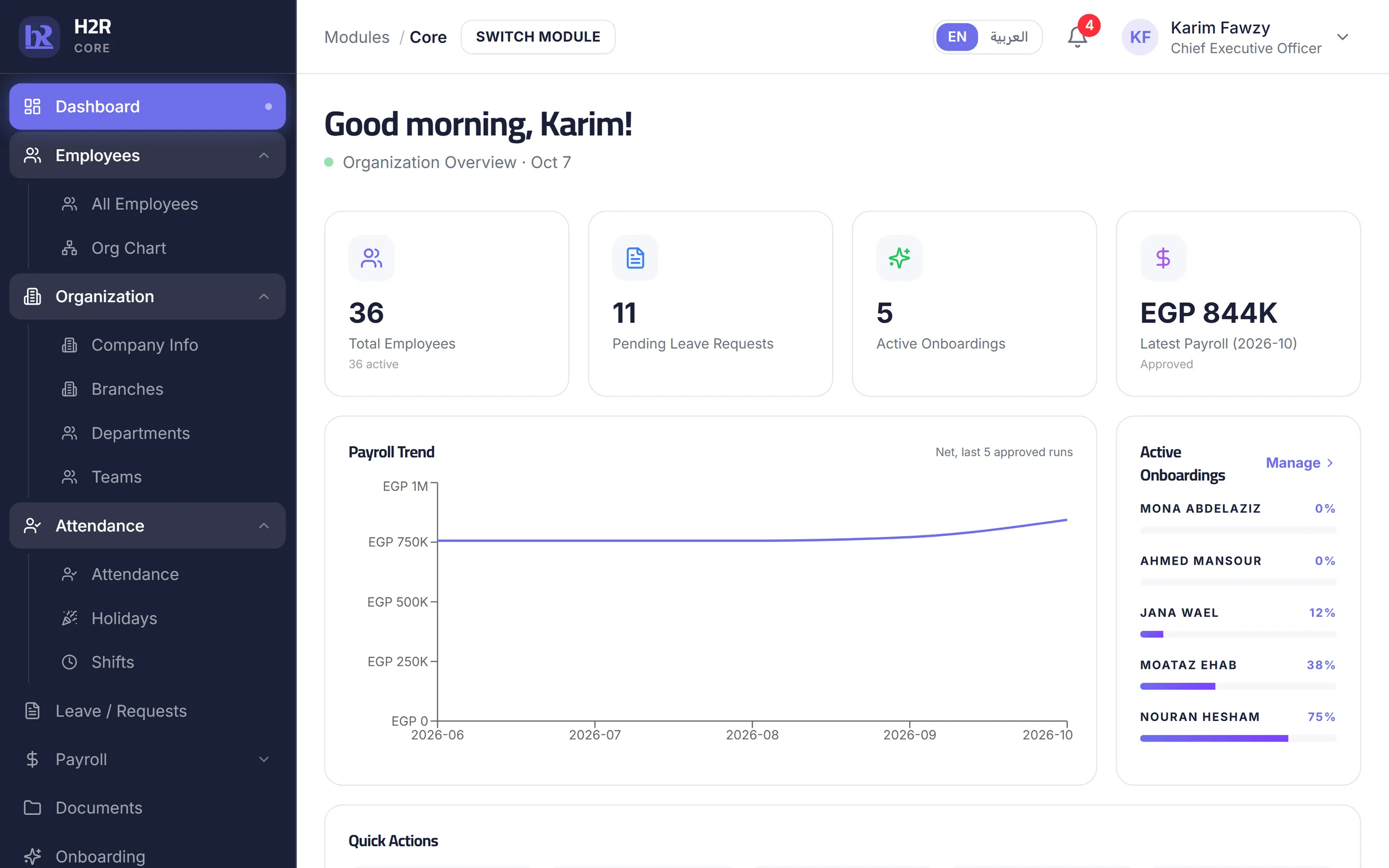
H2R dashboard overview

Built so HR can focus on people

  • Faster hiring

    AI parses and ranks CVs against the job description, so your shortlist starts with the strongest matches.

  • No double entry

    A candidate you accept in Recruitment becomes an employee in Core, and Core feeds Performance.

  • Clear control

    Scope-based access, approvals, an audit trail and separation of duties on payroll.

  • Made for Arabic and English teams

    Full right-to-left support, with an Egypt payroll preset in Core.

One flow from first application to ongoing growth

Each step hands over to the next, so nobody re-types data.

  1. 1

    Recruit

    Post jobs, rank CVs, interview and assess candidates.

  2. 2

    Onboard and manage

    Accepted candidates become Core employees with an onboarding task.

  3. 3

    Run daily HR

    Attendance, leave and payroll with approvals.

  4. 4

    Develop

    Goals, reviews, 360 feedback and talent planning.

Designed for the people who run HR day to day

See how H2R helps each role.

HR teams

Hiring, records, time and pay are scattered, so HR spends its day on admin instead of people.

  • Post jobs, rank CVs and run interviews and assessments in Recruitment.
  • Keep employee records, documents and the org chart in Core.
  • Turn accepted candidates into employees with an onboarding task.
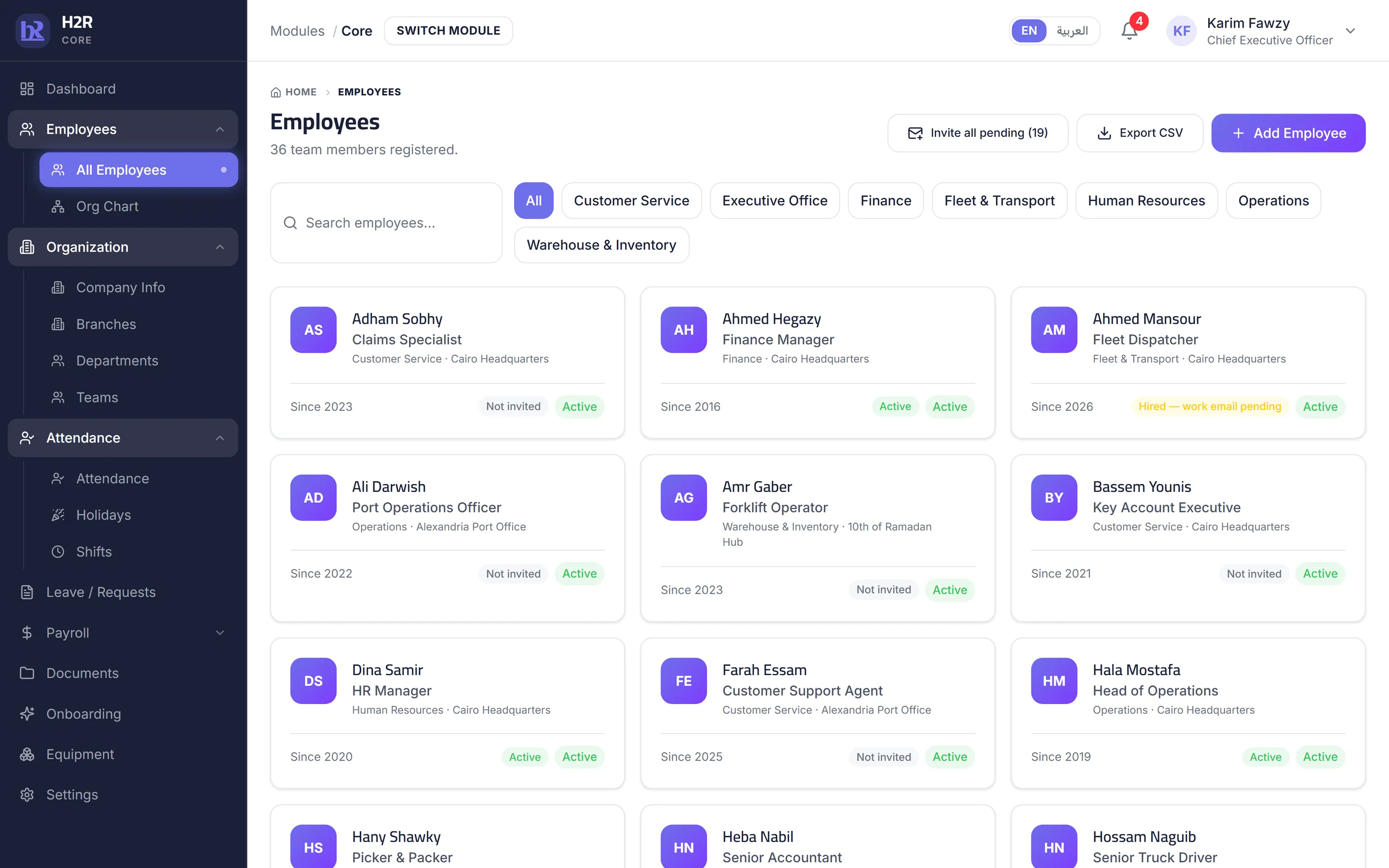
Employee directory with department filters and employee cards

Managers

Managers need to approve requests, follow goals and give feedback without drowning in tools.

  • Approve leave and attendance corrections, on the web or on mobile.
  • Track goals with check-ins and run reviews with 360 feedback.
  • Give private coaching feedback and see your team directory.
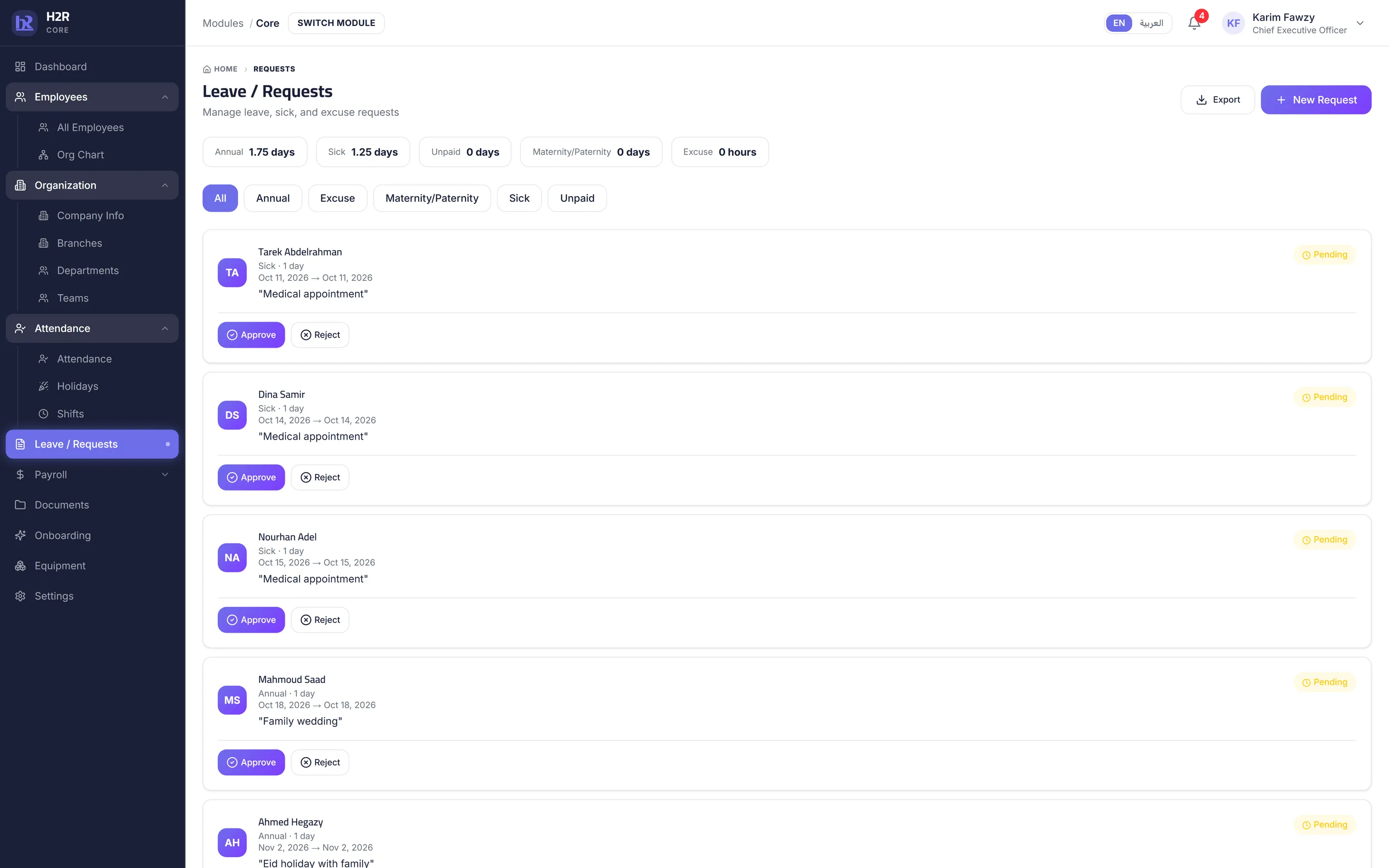
Leave requests page with balances and approve or reject actions

Finance and payroll

Payroll needs accurate inputs and clear approvals, and a trail that shows who did what.

  • Build salary structures and deductions, then run payroll with approvals.
  • Use the Egypt preset and the end-of-service calculator.
  • Rely on separation of duties and an audit trail.
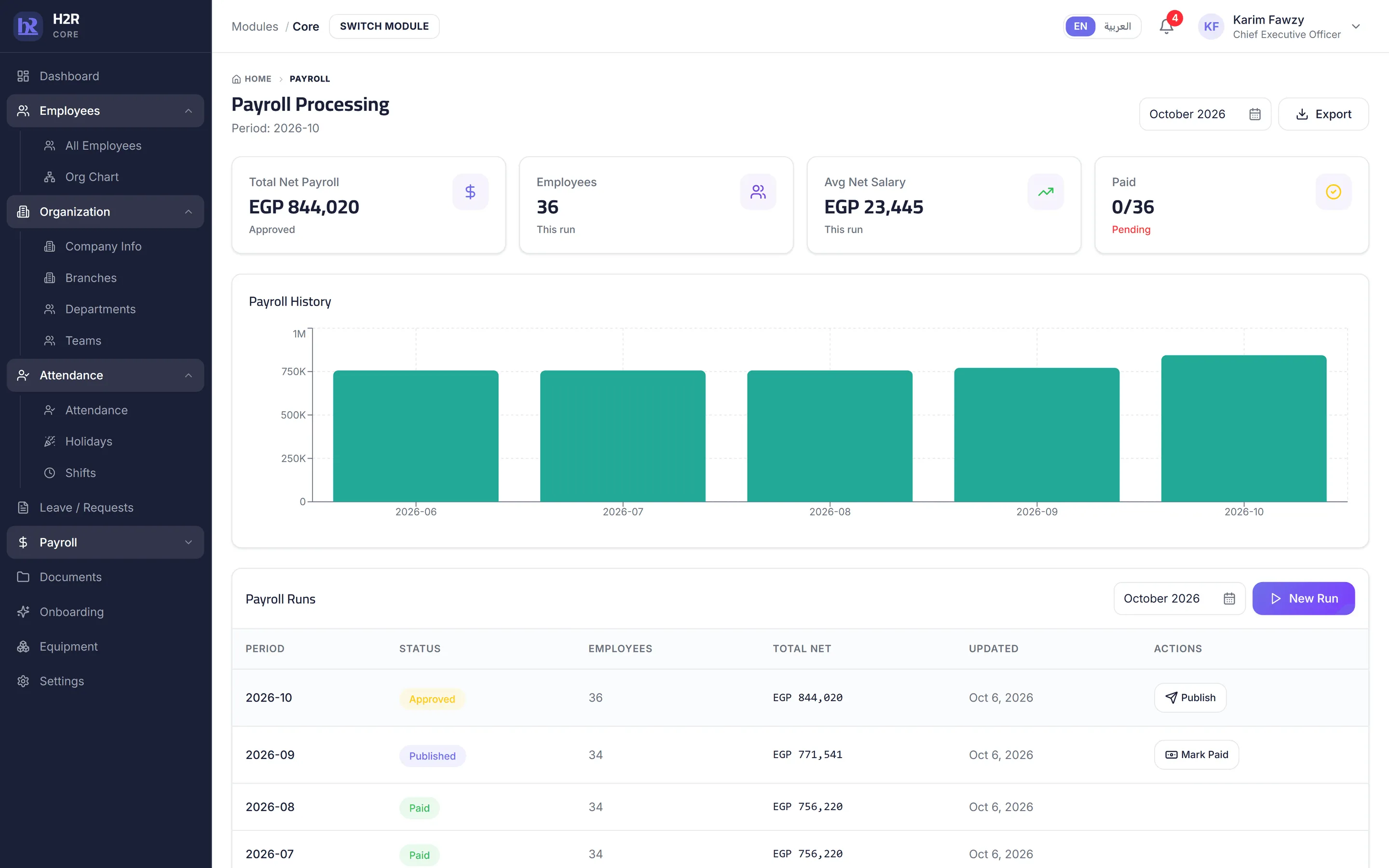
Payroll processing with totals, payroll history chart and payroll runs

Employees

Employees want to clock in, ask for leave and read payslips without chasing HR.

  • Clock in and out and review your attendance.
  • Request leave and see your balances.
  • Read payslips and manage your profile from the mobile app.
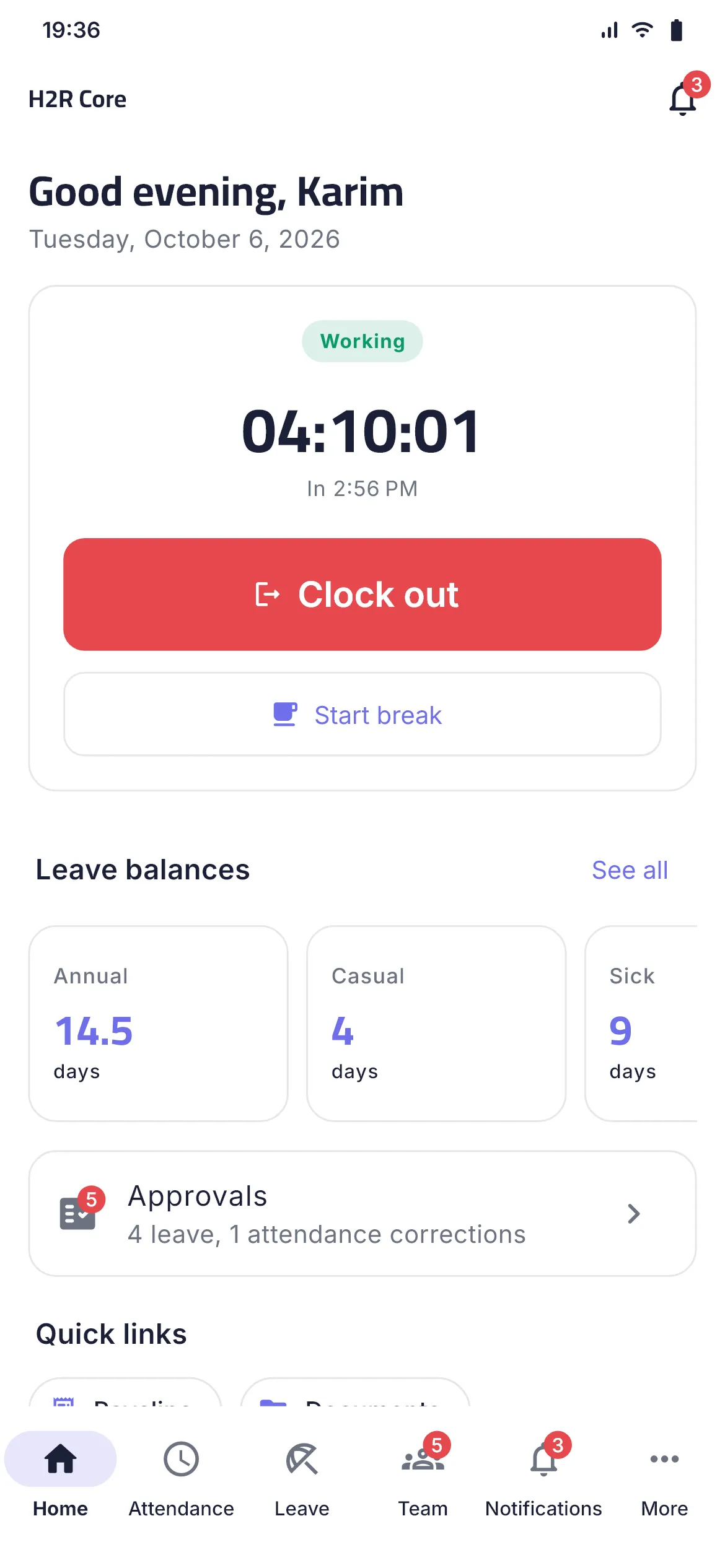
Mobile app home screen with clock out and leave balances
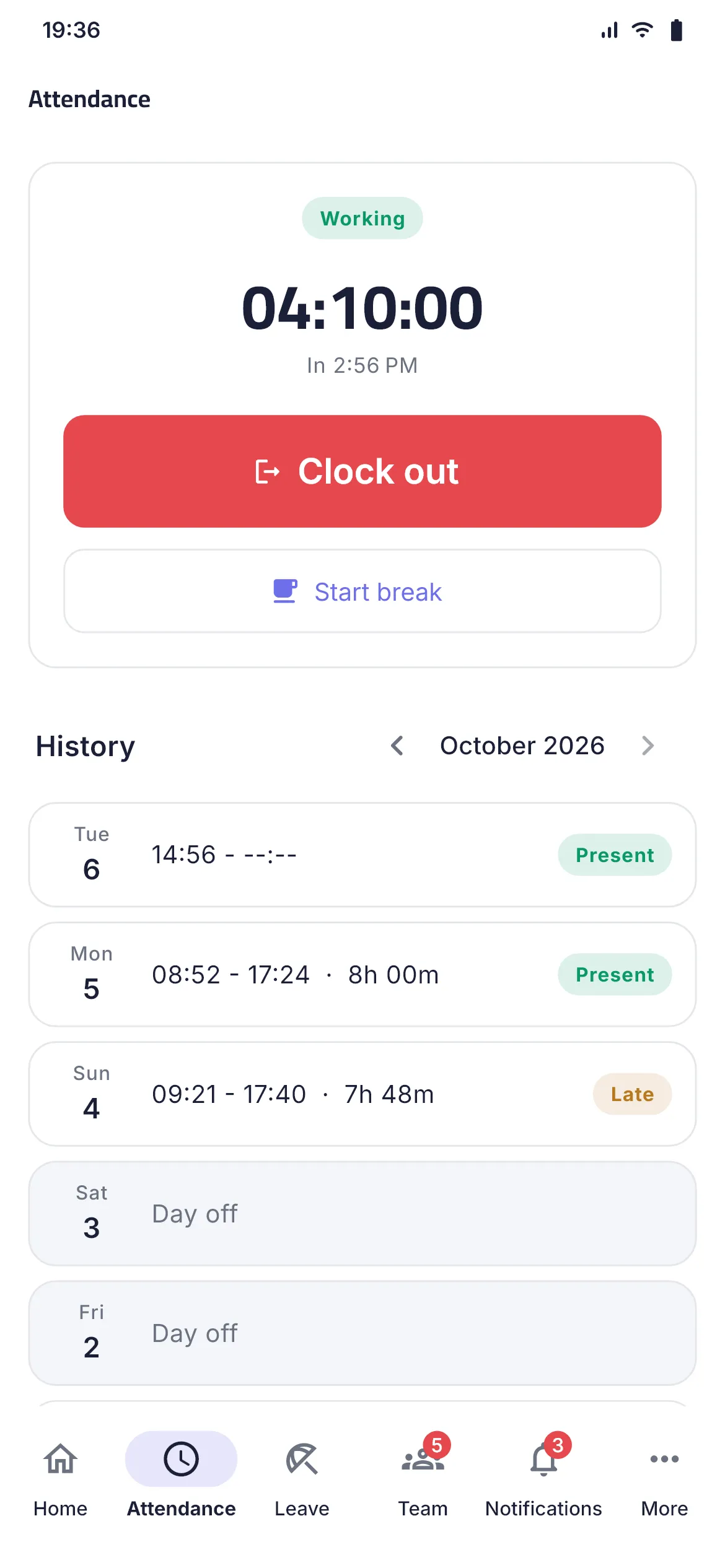
Attendance screen in the mobile app with clock out and history

Solutions

See the suite in action

A look at real screens from across H2R.

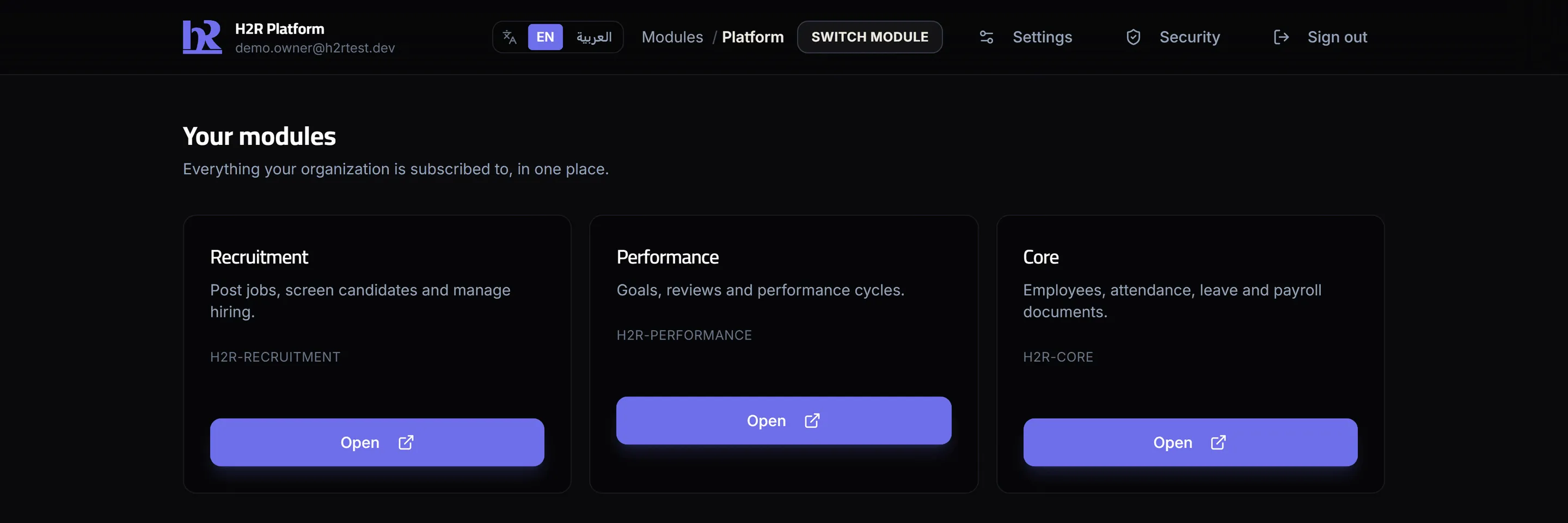
H2R module launcher with Recruitment, Performance and Core cards
Module launcher
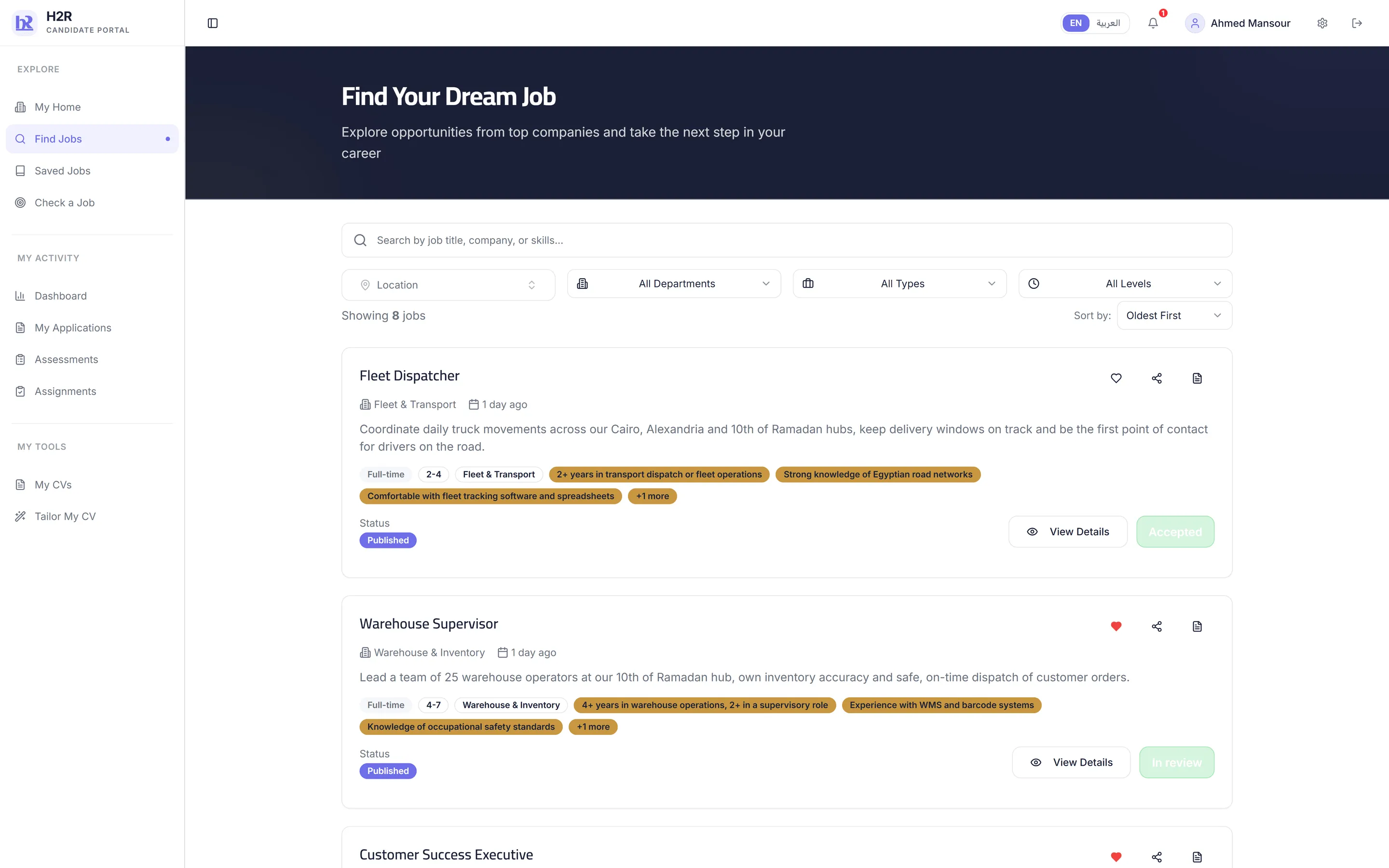
Candidate job search with filters and job cards
Job search for candidates
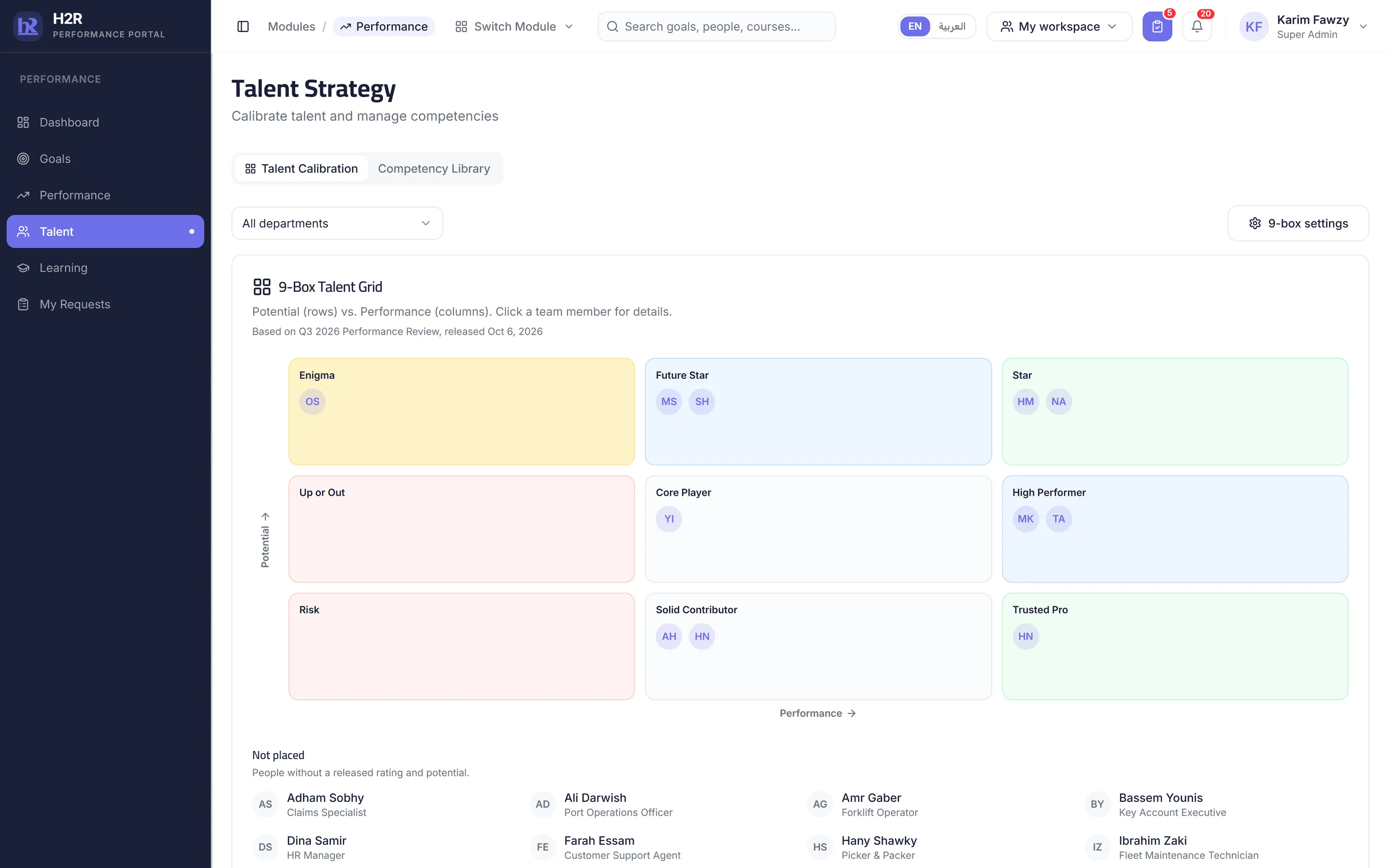
9-box talent grid placing people by performance and potential
9-box talent grid
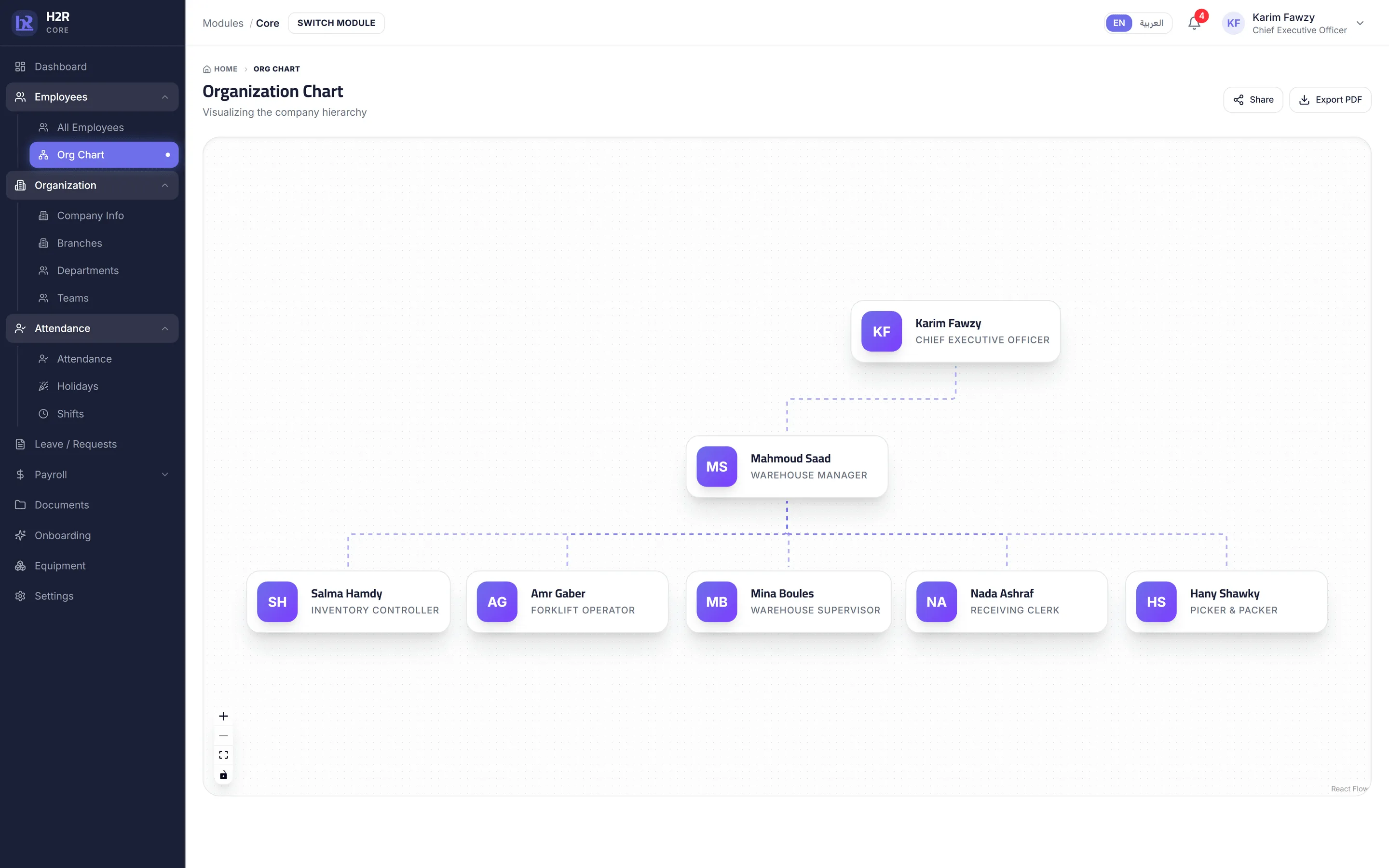
Organization chart showing a reporting hierarchy
Org chart

Built to connect and to be accountable

  • Signed webhooks and API keys

    Connect H2R to your other systems with API keys and signed webhooks.

  • Audit trail

    Keep a record of important actions across the suite.

  • Separation of duties on payroll

    Payroll is protected by default, and an organization can relax it when needed.

Core payroll

Payroll with an Egypt preset

Start from an Egypt payroll preset, build salary structures and deductions, run payroll with approvals and give every employee a payslip.

Pricing

Pick the modules you need, scale when you grow

Subscribe per module with Basic, Pro or Enterprise plans, and grow from 50 to 100 to unlimited employees.

Resources

Latest from the blog

Practical reading for HR and finance teams.

  • HR operationsGetting started

    How an HR suite replaces five spreadsheets

    The employee list, attendance sheet, leave tracker, payroll workbook and hiring tracker: what breaks in each, what a connected suite changes, and what it will not fix.

    5 min read

  • PerformanceReviews

    Running performance reviews that people trust

    How to make 360 feedback, calibration and the 9-box grid fair: clear goals, regular check-ins, multiple viewpoints, private coaching notes and ways to avoid recency bias.

    5 min read

All posts

Questions about H2R

Do I need to buy everything at once?

No. Subscriptions are per module, so you can start with the one you need and add others later.

Is there a free trial?

Yes. You can start a free trial from the sign-up page. If a trial or plan expires, the module becomes read-only, so you are never locked out of your data.

Does H2R work in Arabic?

Yes. The whole suite supports Arabic and English with right-to-left layouts, and the Core mobile app does too.

Can I connect H2R to my other systems?

Yes. H2R supports API keys and signed webhooks.

Is there a mobile app?

Yes. The H2R Core mobile app for Android covers clock in and out, leave, payslips and manager approvals. It is not on public app stores: it is available to H2R customers on request.

Ready to rise up?

Start a free trial or book a demo and see H2R with your own team structure.