
If your team works Sunday to Thursday, you have probably felt the friction of tools built around a Monday to Friday week: weekends flagged on the wrong days, absences invented on Friday, overtime calculated on days that were never meant to be working days. Attendance is the input to payroll, so errors here become errors in somebody’s salary.
This post covers how to set up attendance in H2R Core so the data is right from the start, and what to review each month before it reaches a payroll run.
Step one: define the work week
The work week describes which days your organization works and which it does not. Sunday to Thursday is common across much of the region, with Friday and Saturday as the weekend, but it is a setting, not an assumption. Other organizations work Saturday to Wednesday, or Monday to Friday, or run a six-day week.
The work week lives in your organization settings, and H2R Core reads it from there. That means one place to change it and every module follows. See work week and calendar for where to find it.
Tip: Set the work week before you create shifts or invite employees to clock in. A wrong week at the start means false absences you then have to untangle.
Step two: build shifts
A shift is a named schedule. Each one carries:
- A start time and end time. An overnight shift (for example 23:00 to 07:00) is supported and counts correctly across midnight.
- The working days for that shift.
- A grace period in minutes.
- A flag to mark it as a night shift.
- Whether it is the default shift for people who have none assigned.
A practical set for an office team might be one default day shift, a shorter Thursday pattern if you have one, and a separate shift for anyone on a rota. A retail or operations team might add a second shift and a night shift.
Important: Mark a night shift as a night shift in the shift settings. Do not rely on payroll guessing from clock times. The flag is what lets night overtime be treated separately later.
Details are in shifts and holidays.
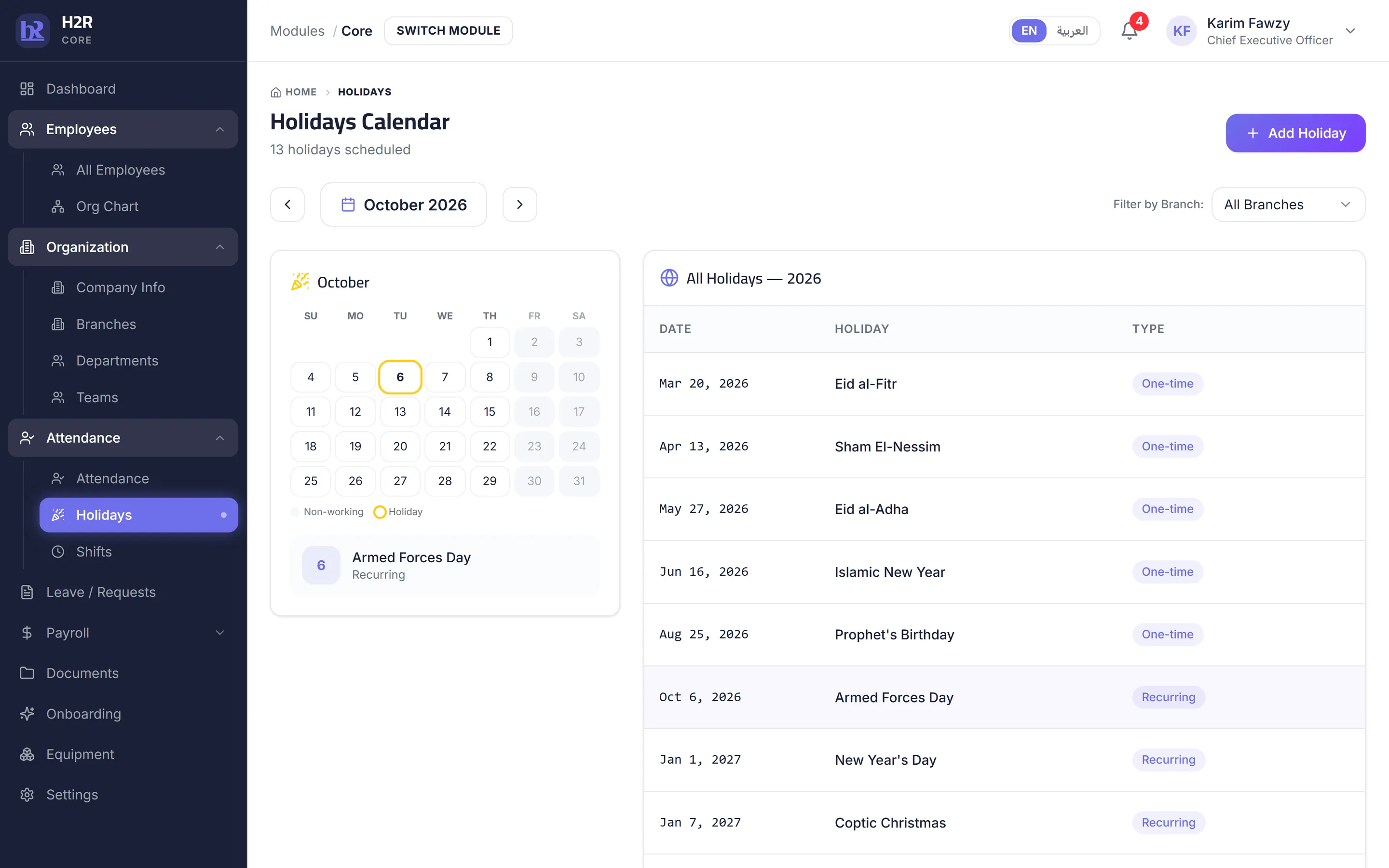
Step three: add public holidays
Holidays do two jobs. They stop employees being marked absent on a day nobody is expected, and they let overtime worked on a holiday be recognized as holiday overtime, which many organizations pay at a different rate.
Enter the holidays for the year in advance, and revisit them when dates that depend on moon sighting are confirmed. A missing holiday is one of the most common causes of “why is this person marked absent?” questions.
Grace periods, lateness and half days
The rule is simple and worth communicating clearly to staff:
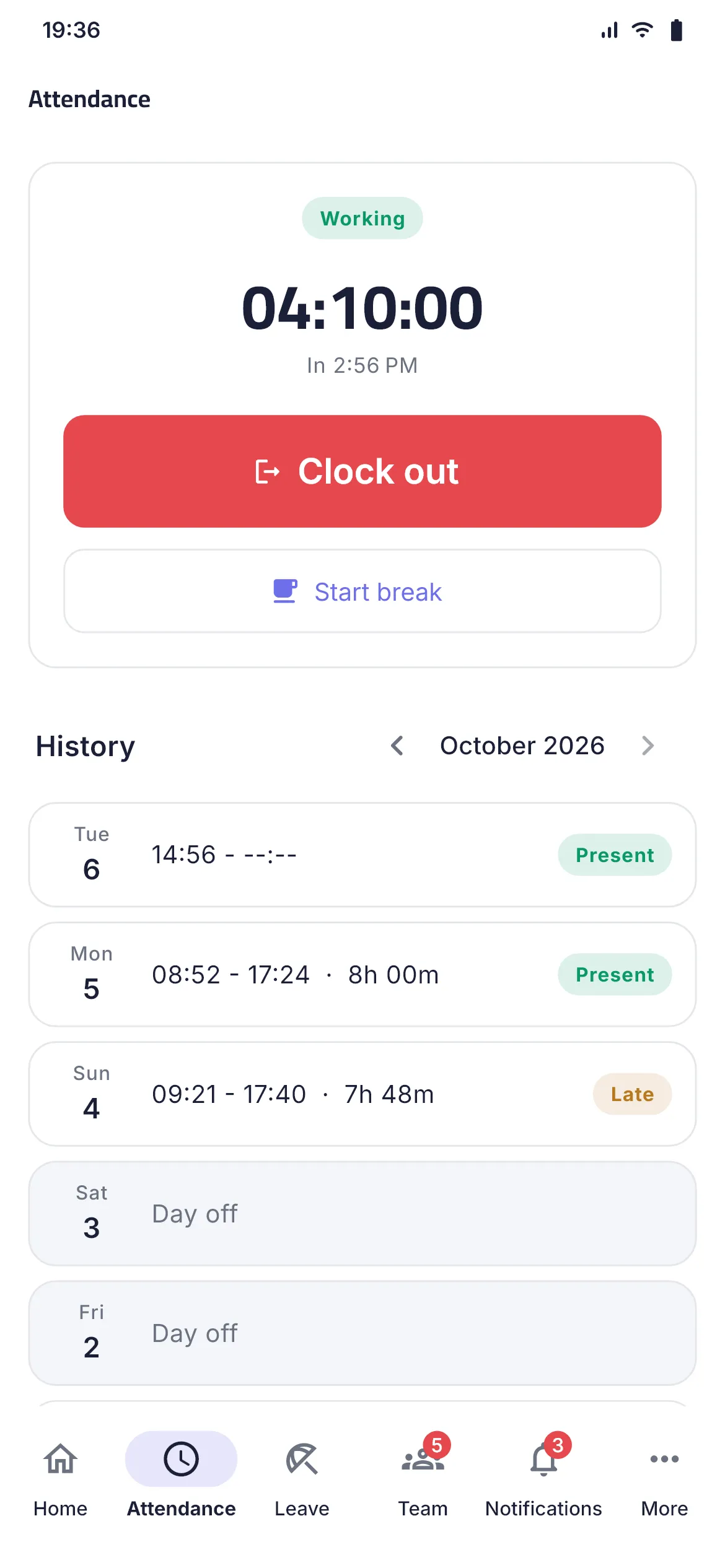
- Clock in at or before the shift start plus the grace period, and the entry is present.
- Clock in after that, and it is late.
- If someone works less than half of the scheduled shift hours, the day is treated as a half day.
- If there is no shift assigned, a clock-in is simply present.
A grace period of 10 minutes does not mean the shift starts 10 minutes later. It is a tolerance for traffic, parking and lifts. Pick a number you are comfortable enforcing consistently, because the value of any lateness rule comes from applying it evenly.
Corrections and who approves them
People forget to clock out. Phones die. Someone works at a client site. Corrections are a normal part of attendance, and the question is how to allow them without letting the record become unreliable.
In H2R an employee can request a correction, but only on their own attendance entries, and it has to be decided by someone else. Nobody can decide their own correction. Once a pay period is published, the entries in it can no longer be corrected or recorded, so corrections need to be closed before you publish payroll.
A useful routine:
- Ask employees to submit correction requests by a fixed day (for example the 25th).
- Have the approver clear the pending corrections list on a fixed day after that.
- Only then calculate payroll.
Because decisions are recorded, you can always answer “who approved this and when?” afterwards. If your team is very small, read our note on approval settings for small teams.
Overtime: what goes into payroll
Overtime is worked hours beyond the scheduled hours of the day. When you calculate a payroll run, H2R Core looks at each day’s worked hours against scheduled hours and sorts any extra into three groups:
- Normal days
- Night shifts (the shifts you flagged as night)
- Holidays
Each group uses its own multiplier from the payroll configuration, so you decide the factors your policy uses. Overtime is added to gross pay and appears as a line on the payslip, showing the hours and the multiplier applied.
Two things to know:
- If a day is both a holiday and a night shift, the holiday treatment takes precedence.
- The overtime factors and whether overtime is taxable or insurable depend on your company policy and local rules. Confirm them with your accountant or legal advisor rather than assuming a standard.
For the full run steps, see the payroll run lifecycle.
Mobile clock-in
For teams that are out of the office, field staff or shift workers, clock in and out from a phone is far more practical than a shared computer. The H2R mobile app is an Android app, not on public stores, and available to customers on request. See clock in and out for the web steps, and request mobile access if your team needs it.
A monthly checklist before payroll
- Work week and shift working days match what staff actually work.
- Every public holiday for the month is entered.
- No open entries (someone clocked in and never out).
- All pending correction requests are decided.
- Employees with no shift assigned are intentional, not forgotten.
- Overtime hours look sensible for the people and weeks you expect.
Common mistakes
- Weekend set to the wrong days, creating false absences every Friday.
- Night shift not flagged, so night overtime is treated as normal overtime.
- Corrections left until after payroll is published, when it is too late to change them.
- A grace period applied differently by different managers. Set it once, in the shift.
- No default shift, so new employees have unclear schedules.
Get the work week, shifts and holidays right once, and the monthly job becomes a short review instead of a reconstruction.
Questions people ask
Is the Sunday to Thursday work week fixed in H2R?
No. Sunday to Thursday is common in the region, but the work week is configurable per organization, and each shift also has its own working days.
What does the grace period do?
Each shift has a grace period in minutes. An employee who clocks in within the scheduled start plus the grace period is marked present; after that, late.
Can employees correct their own attendance?
They can request a correction on their own entries. Someone else must decide it, since nobody can decide their own correction, and a pay period that is already published can no longer be corrected.