
Set your work week, time zone and fiscal year
Choose your organization's working days, week start, time zone and fiscal year in H2R, and learn where holidays and shifts are set.
Last updated:
Leave day counts, attendance and calendars all depend on which days your organization works. Many companies in Egypt and the Gulf work Sunday to Thursday, but the work week is configurable, so set it to match your company.
Open the setting
An organization Owner or Admin can change it from either place:
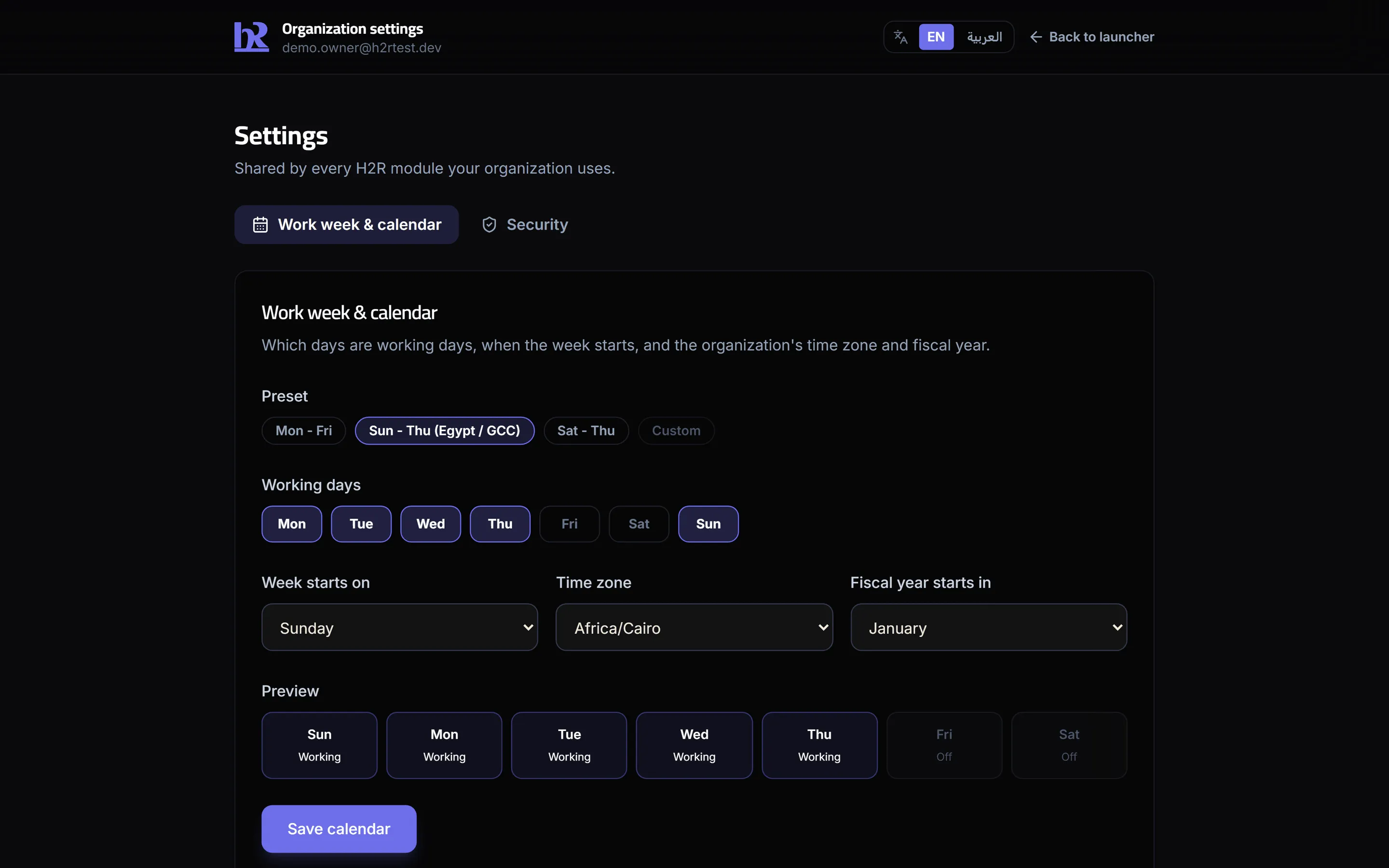
- Platform: on the module launcher click Settings, then open the Work week & calendar tab.
- H2R Core: open Settings (Organization Settings), then Work Week & Calendar.
Both edit the same data. Other members can view it but not change it.
Steps
- Pick a Preset: Mon - Fri, Sun - Thu (Egypt / GCC) or Sat - Thu. Choose Custom to tick the days yourself.
- Under Working days, check the result. You must have between 1 and 6 working days, so at least one day off.
- Set Week starts on.
- Choose your Time zone, written as an IANA name such as Africa/Cairo.
- Choose the month the Fiscal year starts in.
- Check the Preview, which marks each day as Working or Off.
- Click Save calendar (in Core: Save Changes).
What it affects
Leave day counts, attendance marking (absent or holiday) and calendars use this week, unless an employee’s own shift defines different working days. Changes are saved on Platform and Core picks them up within about five minutes; in Core you can press Refresh Core now to apply them immediately.
Important: This page does not change payroll. The “Working days / month” value in Payroll Config stays a manual setting, so update it yourself if your week changed.
Holidays and shifts
Public holidays are managed in H2R Core under Settings, then Holidays (the Holidays Calendar, with Add Holiday). Shifts live under Shift Management. See Shifts and holidays.
Common problems
- Fields are read-only: you are a Member, not an Owner or Admin. Ask one to change it.
- “Settings changed elsewhere”: someone saved first. Reload, then reapply your change.
- Invalid time zone: use a name like Africa/Cairo with no spaces.
Was this article helpful?
Tell us in one line what was missing and we will improve it.
Related articles
Still stuck?
Send us a message with what you were trying to do and the screen you are on.
Contact support