
Switch between modules and organizations
Open H2R Recruitment, Performance or Core from the module launcher, switch modules without signing in again, and change organizations.
Last updated:
H2R is a suite of modules that share one sign-in. The module launcher is the home page that lists them, and every module has a quick switcher so you can move around without signing in again.
Open a module from the launcher
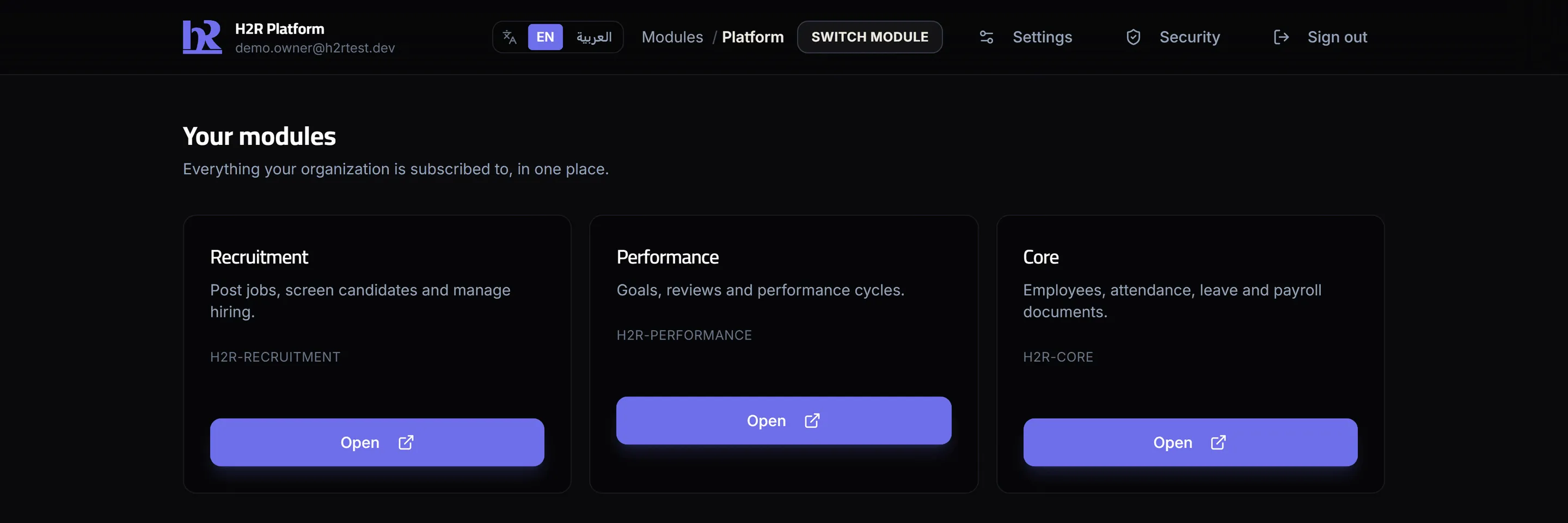
- Sign in to H2R Platform. The page titled Your modules shows everything your organization is subscribed to.
- Click Open on the module you want: Recruitment, Performance or Core.
Each tile shows a short description and its status, such as a trial with its end date, the plan name, or Not subscribed if your organization has no subscription to that module.
Switch modules from inside a module
Inside a module, use the Modules breadcrumb and open the Switch Module menu. Pick another module and you arrive signed in. The menu lists the modules your organization uses and marks any you are not subscribed to.
Note: You always carry your organization with you. What you can do inside a module depends on your role there, see Roles and access.
Switch organizations
If you belong to more than one organization, go to Choose an organization. It lists Your organizations with your role in each (Owner, Organization admin or Member). Pick the workspace you want to sign in to. Billing and organization settings always apply to the organization you are currently in, so switch first if you want to change another one.
Where the other pages are
From the launcher header:
- Settings opens organization settings (visible to Owners and Admins).
- Security opens your personal two-factor settings.
- Sign out ends your session.
Common problems
- A tile says “Not subscribed”: your organization has no plan for that module. An Owner or Admin can subscribe from Billing, see Billing and plans.
- “Expired” on a tile: the subscription ended. See Trial and subscription status.
- A module will not open: reload the launcher and try again. If it keeps failing, contact support.
- Candidate account: candidates sign in on H2R Recruitment and do not use the module launcher.
Was this article helpful?
Tell us in one line what was missing and we will improve it.
Related articles
Still stuck?
Send us a message with what you were trying to do and the screen you are on.
Contact support