
Sign up and create your organization
Create your H2R account, verify your email and set up your organization so you can start a free trial and open your first module.
Last updated:
One H2R account gets you into every module: Recruitment, Performance and Core. Your organization is the shared workspace behind them, so you create it once and your people, roles and subscriptions are recognized everywhere.
Create your account
- Open the H2R Platform sign-in page and choose Sign up.
- Enter your Full name, Email and a Password, then confirm the password. Use your work email if you are setting up a company.
- Click Create account.
If the password does not meet the rules, the form tells you what is missing (for example length or a digit). If the email already has an account, sign in instead.
Verify your email
We email a 6-digit code to the address you used.
- Type it into Verification code.
- Click Verify email.
- You are taken to the sign-in page, where you can sign in with your new account.
If the code does not arrive, click Resend code. If you typed the wrong address, use Sign up again.
Note: Looking for a job rather than hiring? Candidate accounts are separate. Use Create a candidate account on the sign-in page; candidate accounts apply to jobs in H2R Recruitment and cannot create or join organizations.
Create your organization
After you sign in, the Choose an organization page lists the organizations you belong to. If you have none, you will see Create an organization.
- Type the Organization name.
- Click Create.
You become the organization’s Owner and can add members and manage subscriptions afterwards.
What you will see
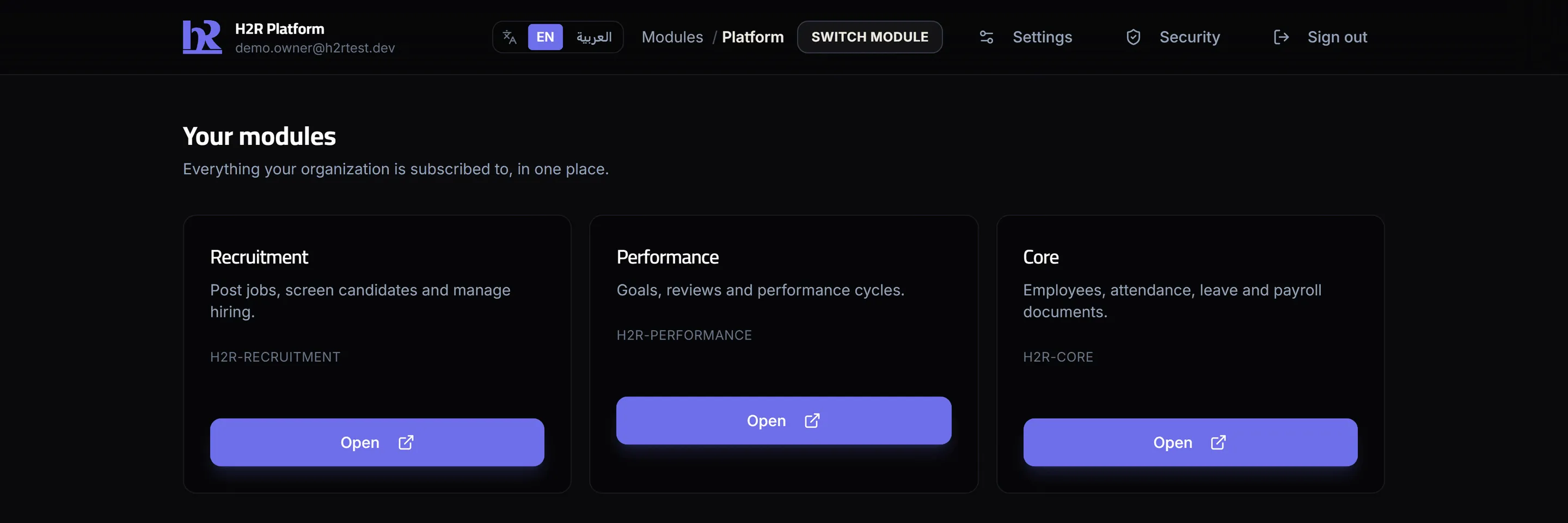
Your organization opens in the module launcher, titled Your modules, with a tile for each module. New organizations start with a free trial of each module, and the launcher shows the trial end date on the tile. You can open any module straight from here.
Common problems
- Verification code expired or rejected: request a new one with Resend code. Too many wrong attempts require a new code.
- I belong to several organizations: pick the one you want on Choose an organization. You can switch later, see Switch between modules and organizations.
- Forgot your password: use Forgot password? on the sign-in page. We send a one-time reset code to your email.
Next steps
Invite your colleagues (Invite people), then set your work week and time zone (Work week and calendar). See how the trial works in Trial and subscription status.
Was this article helpful?
Tell us in one line what was missing and we will improve it.
Related articles
Still stuck?
Send us a message with what you were trying to do and the screen you are on.
Contact support